TeamSnap: manage youth sports
- 3.0
- Rating
- 5.00M
- Installs
- Free
- Price

 Analysis by App-foxy
Managing a youth sports team usually starts with a harmless-looking group chat and quickly turns into a pile of messages, changing schedules, attendance questions, and last-minute reminders. TeamSnap: manage youth sports is built to bring those moving parts into one place. I found its strongest quality less exciting than a flashy new feature: it gives a team a shared routine that can keep working after the first week of enthusiasm has disappeared.
Developed by TeamSnap, Inc., this free sports app is aimed at the everyday logistics around a team rather than the action on the field. It is available for everyone, runs on devices using iOS 10 or later, and its current version is 7.57.0. The app has passed the early-adoption stage by a long way, with over 5 million installs, although its average rating sits at 3.1 from around 30 thousand ratings. That combination tells me to approach it as a useful coordination tool with some real-world friction, not as a perfect solution for every family.
What TeamSnap feels like during the first week
The initial appeal is easy to understand. Instead of asking parents to search through a conversation for the latest practice time, a team can use one organized space for communication and logistics. The benefit appears immediately when several people need the same information: a coach can share an update, families can check what is happening, and players do not have to rely on one person forwarding every message.
You May Also Like

 Blood Strike: 2.5 Anniversary
Blood Strike’s Loadouts Turn Every Drop Into a Tactical Gamble
A close look at Blood Strike’s custom loadouts: how fast access to signature weapons reshapes its battle royale rhythm, rewards preparation, and narrows the gap between fights.

 Pandora - Music & Podcasts
Pandora’s Music Is Easy to Start, but Harder to Recover
Pandora’s strength is its low-effort path from a seed to a station. Its weak spot is how much confidence it asks you to place in connection, setup, and quiet recovery.

 8 Ball Pool
 Is Built on Rivalries, Rematches, and Routine
A close look at the rivalries, rematches, shared routines, and unanswered safety questions that turn a quick pool match into a persistent mobile community.

 Samsung Music
’s Quiet Strength Is Playing What You Already Own
Its reach comes less from spectacle than from dependable access to a personal library. That simplicity is both the app’s strongest retention engine and its ceiling.

 AccuWeather: Weather Radar
AccuWeather Review: A Quick, Clear Forecast for Everyday Decisions
For everyday plans, the best forecast is the one you can understand quickly. AccuWeather makes rain timing, radar, and local conditions easy to act on, with a few trade-offs.

 Hill Climb Racing
Why Hill Climb Racing Still Turns Crashes Into One More Run
A tiny car, a bumpy hill and one more upgrade: Hill Climb Racing keeps resurfacing because its simple chaos makes every near-miss feel personal.
More From Our News Desk
View All News


I especially like the idea of separating team information from ordinary personal conversations. A general messaging app is quick, but it is also easy for an important announcement to disappear beneath jokes, unrelated questions, and individual replies. TeamSnap gives the sports group a more deliberate home, which makes it easier to treat schedules and attendance as shared responsibilities rather than scattered chat history.
The first-week experience depends heavily on whether the whole team joins and uses the same habits. If only the coach opens the app while everyone else continues using text messages, the organizational advantage becomes weaker. This is not an app that can impose order on its own. It works when the team agrees that the app is the place to check before asking, “When is practice?”
That social element is one of the most important things to understand before installing it. A parent using TeamSnap alone cannot solve a communication problem created by a group that refuses to move away from informal messages. The best results come when the coach, assistant, or team administrator establishes a simple rule: schedules and official updates live in TeamSnap, while casual conversation can happen elsewhere if people want it.
For a new team, I would set up the basic routine before inviting everyone. Decide who maintains the calendar, who posts changes, and how families should indicate availability. That small bit of preparation prevents the app from becoming another place where information is duplicated. The first week is not really about exploring every option; it is about making one dependable path for the information people need most.
A realistic Saturday morning
Imagine a family preparing for a weekend game. One parent is working, another is driving, and the child needs the correct uniform and arrival time. In a normal chat, the family may scroll through several messages, wonder whether the latest time is still current, and send a question that someone has already answered. With TeamSnap serving as the team’s reference point, the parent can check the current details without depending on a chain of forwarded messages.
The value is even clearer when plans change. Youth sports schedules are rarely static from the family’s point of view; transportation, weather, school activities, and sibling commitments all compete for attention. A central team space does not remove those conflicts, but it makes the team’s side of the equation easier to verify. I consider that a practical improvement, especially for households coordinating more than one child.
There is also a useful psychological shift. When attendance and logistics are visible as team tasks, parents are more likely to respond before the coach has to chase them individually. That can reduce repetitive follow-up, provided the team actually uses the relevant tools consistently. It is a modest advantage, but these modest advantages are what determine whether a sports app earns a permanent place on a phone.
Where the early convenience can disappoint
The first setup may feel less effortless than the store summary suggests. Any team-management app has to reflect real roles: coaches, parents, players, and sometimes more than one adult connected to the same child. If those relationships are entered incorrectly or invitations are missed, the experience becomes confusing before the team has formed a habit.
I would also avoid assuming that every member will interact with the app in the same way. Some parents want every notification, while others only want a reliable place to look when necessary. A team can create unnecessary irritation if it treats frequent alerts as proof of engagement. The better approach is to use the app for decisions and updates that matter, not to turn every minor thought into a notification.
Another early trade-off is that centralization increases responsibility. A coach who posts incomplete information may create more uncertainty because families now expect the app to be authoritative. TeamSnap can organize communication, but it cannot judge whether an update is accurate, whether a time has changed elsewhere, or whether a parent has actually read it. Human discipline remains part of the system.
Why it can still matter after the novelty fades
Most team apps are easy to appreciate during the first few days. The harder question is whether anyone keeps opening them once the invitation has been accepted and the first schedule has been viewed. In my experience, TeamSnap’s lasting value comes from repetition: recurring practices, game reminders, attendance decisions, and small changes that would otherwise be handled through scattered personal messages.
The app is most worthwhile for teams with a busy calendar and a large group of families. A small recreational team that plays occasionally may manage perfectly well with a simple messaging thread. A competitive youth team with several weekly commitments has more to gain because the cost of missing one update is higher. In that setting, the app becomes less like a novelty and more like a shared noticeboard that people consult as part of normal planning.
I would judge its month-to-month usefulness by one question: does it reduce the number of private conversations needed to keep the team moving? If parents can check the same information, respond through the same channel, and see changes without asking the coach to repeat them, the answer is probably yes. If the app merely duplicates a chat while the real decisions continue elsewhere, its value will fade quickly.
A particularly useful workflow is to make the app the starting point for weekly planning. At the beginning of the week, families can check the upcoming commitments, identify conflicts early, and communicate the information the coach actually needs. Near game day, they can review the latest details rather than relying on memory. This turns the app into a habit tied to a predictable moment, which is more durable than asking people to open it randomly.
That habit also helps reduce the emotional burden on volunteers. Coaches often become the unofficial customer-service desk for a team, answering the same questions privately because families cannot find the information. A common team space does not eliminate direct questions, and it should not replace personal contact when a child needs individual attention. It can, however, reserve the coach’s time for matters that truly require a one-to-one conversation.
The difference between a calendar and a team system
A normal calendar is excellent for recording an event, but it does not necessarily provide the surrounding context. A group chat is excellent for quick conversation, but poor at preserving a clean record. TeamSnap sits between those two habits by combining sports communication with logistics. That combination is its main reason to exist, and it is more useful than simply adding another calendar entry to a phone.
Still, I would not replace every tool with it. Families may continue using their personal calendars for work, school, and transportation. The practical compromise is to treat TeamSnap as the team’s source for sports information and a personal calendar as the household’s broader planning system. Trying to make one app handle every part of family scheduling can create more work, not less.
Compared with ordinary text messaging, TeamSnap offers better structure but demands more participation. Compared with email, it feels more immediate and better suited to a changing team, though email may remain preferable for formal records or people who do not want another mobile routine. Compared with a basic shared calendar, it is more focused on the social and logistical side of a team. The right choice depends on whether the team’s problem is missing events, missing context, or simply too many conversations.
Small practices that improve long-term value
I found three habits especially important. First, keep official updates concise and put the action near the beginning: confirm attendance, note a time change, or check an item. Second, avoid posting the same update in several places unless there is a genuine emergency; duplication trains people to wait for a private message. Third, review the team space before sending a question. That last step sounds obvious, but it is what turns the app from a passive archive into a working system.
It also helps to distinguish information that belongs to everyone from information that belongs to one family. A public team update should cover shared logistics. A private concern about a child, transportation arrangement, or personal situation should not be pushed into a broad conversation merely because the app makes communication easy. Good boundaries preserve trust and prevent the team feed from becoming noisy.
For households with more than one player, the organizational benefit can be significant, but only if each child’s commitments are kept clear. The danger is not necessarily too little information; it is treating a large amount of information as equally urgent. I recommend checking the team schedule at a fixed time, then transferring only the commitments that affect the family’s wider day. That keeps TeamSnap as a source while avoiding constant phone checking.
Maintenance, fatigue, and the cost of staying organized
The biggest long-term weakness is that the app needs an active maintainer. Someone has to keep the schedule current, communicate changes, and make sure the team understands which information is official. If that person stops updating the app, the platform can become an outdated reference that creates false confidence. This is a maintenance burden, even if the app itself is easy to open.
That burden is not always evenly shared. Coaches may assume parents are checking, while parents may assume coaches are posting. A team should assign responsibility clearly rather than treating the app as self-managing. In practical terms, the most successful setup is one where a specific adult owns the calendar and another person can step in when the primary organizer is unavailable.
Notification fatigue is another genuine concern. Sports already produce frequent changes, and a poorly managed stream can make every alert feel urgent. Families may respond by silencing notifications entirely, which defeats the purpose of timely communication. I prefer a selective approach: keep alerts for meaningful schedule or team changes, and use the app’s information space for anything that can wait until the next check.
There is also a social fatigue that no setting can completely solve. Parents may feel pressured to respond quickly, coaches may become frustrated by late replies, and players may be included in conversations that are really for adults. The app can make responsibilities more visible, but visibility can feel like pressure. Teams should agree on reasonable response expectations instead of assuming that every message deserves an immediate answer.
The free price makes trying it easy, but the presence of in-app purchases ranging from $1.99 to $49.99 per item means a team should understand its payment expectations before committing to any paid option. I would not recommend that one person make a purchase decision for everyone without checking who benefits and how the cost will be handled. For a small team, a paid feature may be unnecessary; for a larger operation, the convenience may be worth considering. The important point is to evaluate the recurring workflow, not buy simply because the app is already installed.
Privacy and communication boundaries deserve the same practical attention as cost. A youth team involves children, parents, and volunteers, so not every detail should be posted broadly. I would keep shared messages focused on team logistics and use appropriate private communication for sensitive matters. TeamSnap can provide the room for organized communication, but the adults using it still decide what belongs there.
Who should keep it and who should skip it
I think TeamSnap is a strong fit for volunteer-led youth teams that are tired of answering the same scheduling questions and want one shared place for updates. It is also useful for parents managing multiple commitments, particularly when practices and games change often enough that memory and screenshots are unreliable. The app’s Everyone content rating makes it broadly approachable, but the real audience is the adults and players who need to coordinate a team.
I would be more cautious for a tiny team with a stable schedule, a group that already communicates perfectly through an existing tool, or families who strongly resist installing another app. In those cases, the extra account and notification routine may cost more attention than it saves. It is also not the right answer for a club seeking a full administrative platform with extensive organization-wide operations; TeamSnap’s appeal here is the team-level communication and logistics experience.
The rating of 3.1 suggests that the experience will not be equally smooth for everyone. I would treat that as a reason to test it with the actual coach and a few parents before making it mandatory for an entire season. A short trial can reveal whether invitations, updates, and response habits fit the group. That is more useful than judging the app only from its feature list or from the number of installs.
Does it earn lasting space?
My answer is yes, but conditionally. TeamSnap earns lasting space when a team uses it as a dependable source of truth rather than as another place to repeat messages. Its value compounds through ordinary routines: checking the week, confirming attendance, reviewing changes, and giving volunteers a shared way to communicate. None of that is glamorous, but it addresses the daily friction that makes youth sports harder for families than it needs to be.
I would install it for a busy youth team, establish clear responsibilities, and give families a simple explanation of what belongs in the app. I would not install it expecting the software to repair poor communication by itself. The lasting result depends on maintenance, restrained notifications, and a willingness to let one channel become the official one.
At no cost to download, TeamSnap is easy to try, and its long history since February 13, 2012 shows that it is not a temporary experiment. Its current version, 7.57.0, keeps it relevant for users on supported devices, while the paid items mean teams should discuss optional spending openly. My final judgment is straightforward: TeamSnap is worth keeping when it replaces repeated coordination work, not when it merely adds another inbox.
If your team is small and calm, a shared calendar or familiar messaging app may be simpler. If your team is busy, scattered, and constantly negotiating times, this app has a better chance of becoming part of the family routine. The first week may sell you on the convenience, but the month-to-month test is whether people still know where to look when plans change. That is where TeamSnap either proves its value or becomes one more forgotten app on the phone.
FAQs for TeamSnap: manage youth sports
01What is TeamSnap and how does it help manage youth sports teams?
TeamSnap is a comprehensive app designed to streamline the management of youth sports teams. It offers features like scheduling, communication, and roster management. Coaches, parents, and players can easily track game times, practice schedules, and team announcements, making team coordination seamless and efficient.
02Is TeamSnap available for both Android and iOS devices?
Yes, TeamSnap is available for download on both Android and iOS platforms. Users can find it on the Google Play Store for Android devices and the Apple App Store for iOS devices, ensuring accessibility and convenience for all team members, regardless of their smartphone preference.
03Does TeamSnap offer any free features, or is it a paid app?
TeamSnap provides a free basic version that includes core features like team messaging and scheduling. However, for more advanced functionalities like statistics tracking and payment collection, users can opt for premium plans. These subscriptions offer additional tools to enhance team management efficiency.
04How secure is the personal information shared on TeamSnap?
TeamSnap prioritizes user privacy and employs robust security measures to protect personal information. Data encryption and secure login protocols are in place to ensure that sensitive information like contact details and payment data remains confidential and secure from unauthorized access.
05Can TeamSnap integrate with other tools and calendars?
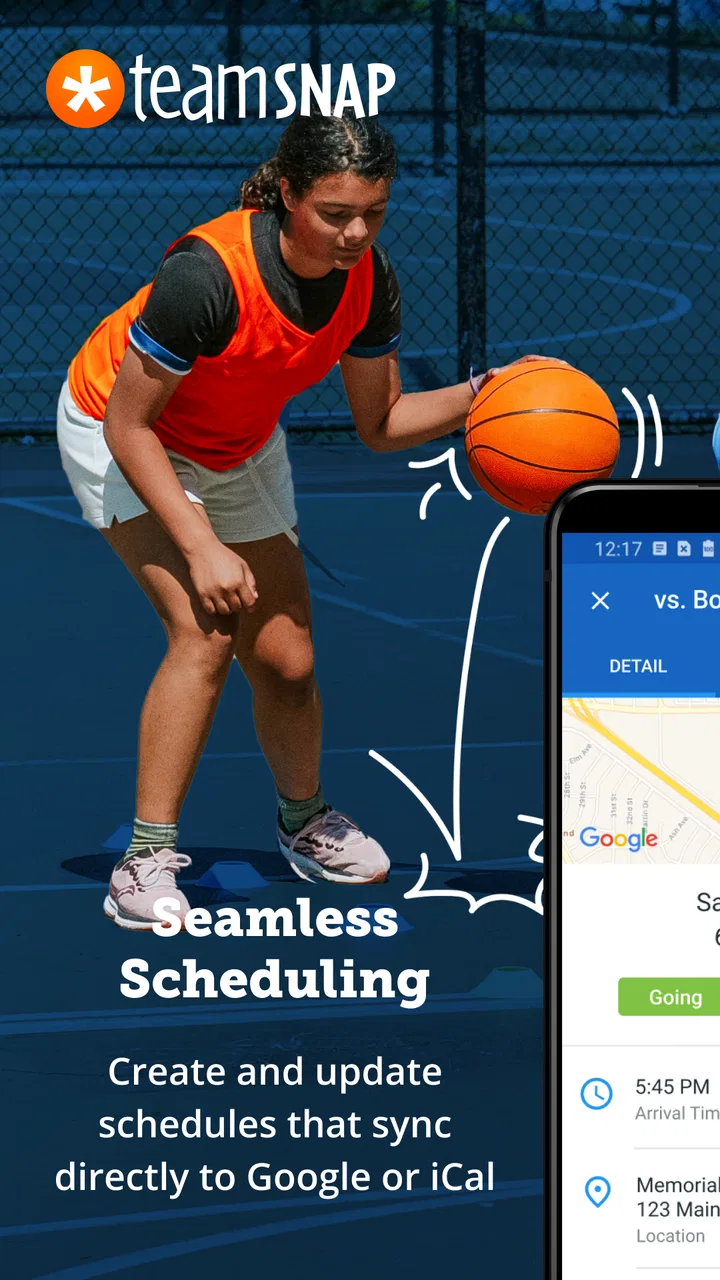
Yes, TeamSnap integrates with various calendar applications such as Google Calendar and iCal. This feature allows users to sync team schedules directly with their personal calendars, ensuring they never miss important games or practices. Integration with communication tools is also available to enhance team interaction.
Pros
- User-friendly interface for quick navigation.
- Real-time updates keep everyone informed.
- Integrated payment system simplifies dues.
- Customizable alerts for important events.
- Supports multiple sports and team types.
Cons
- Limited features in the free version.
- Occasional syncing issues reported.
- Premium features can be costly.
- Some features require constant internet.
- Ads can be intrusive in free version.

TeamSnap: manage youth sports
Gallery